Bulk Import Contracts from DocuSign to Concord
The Bulk Import feature allows you to easily migrate multiple signed contracts from DocuSign into Concord in a single operation. This streamlines the transition process and helps maintain a single source of truth for all your contract management needs.
This Article Answers
How do I bulk import contracts from DocuSign to Concord?
TL;DR
Use the Bulk Import feature to migrate multiple signed contracts from DocuSign to Concord in one operation, creating a single source of truth for contract management.
Key Facts
- •You must connect your DocuSign account to Concord before importing
- •Bulk Import allows migration of multiple signed contracts in a single operation
- •This feature streamlines the transition process from DocuSign to Concord
- •Helps maintain a centralized repository for all contract management needs
Prerequisites
-
You must have Administrator access in Concord
-
You must have already connected your DocuSign account to Concord
Step-by-Step Instructions
- Access the DocuSign Import Feature** ** You can access the Bulk Import feature in several ways:
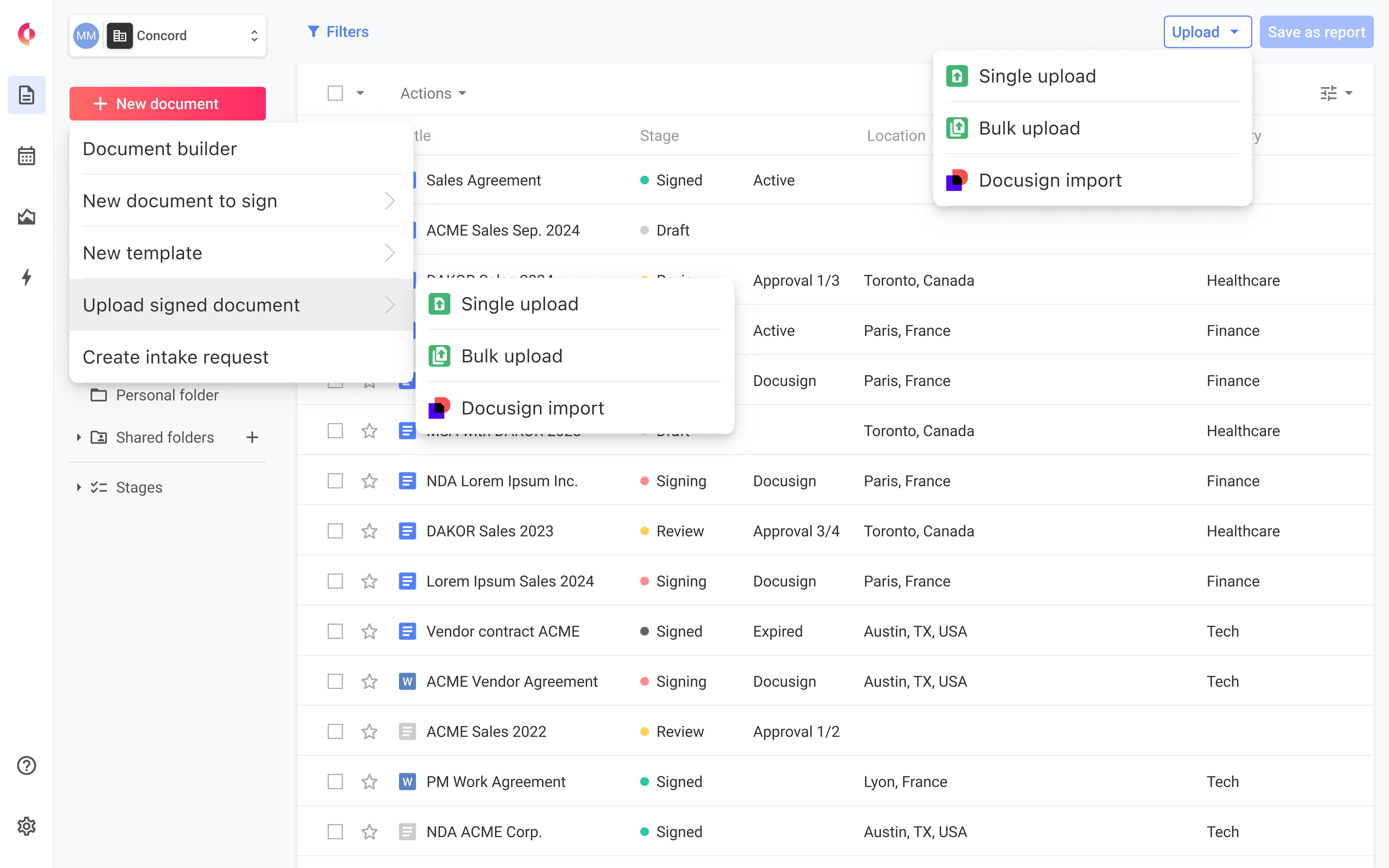
From the Inbox, click the "Upload" dropdown button and select "Import from DocuSign"
-
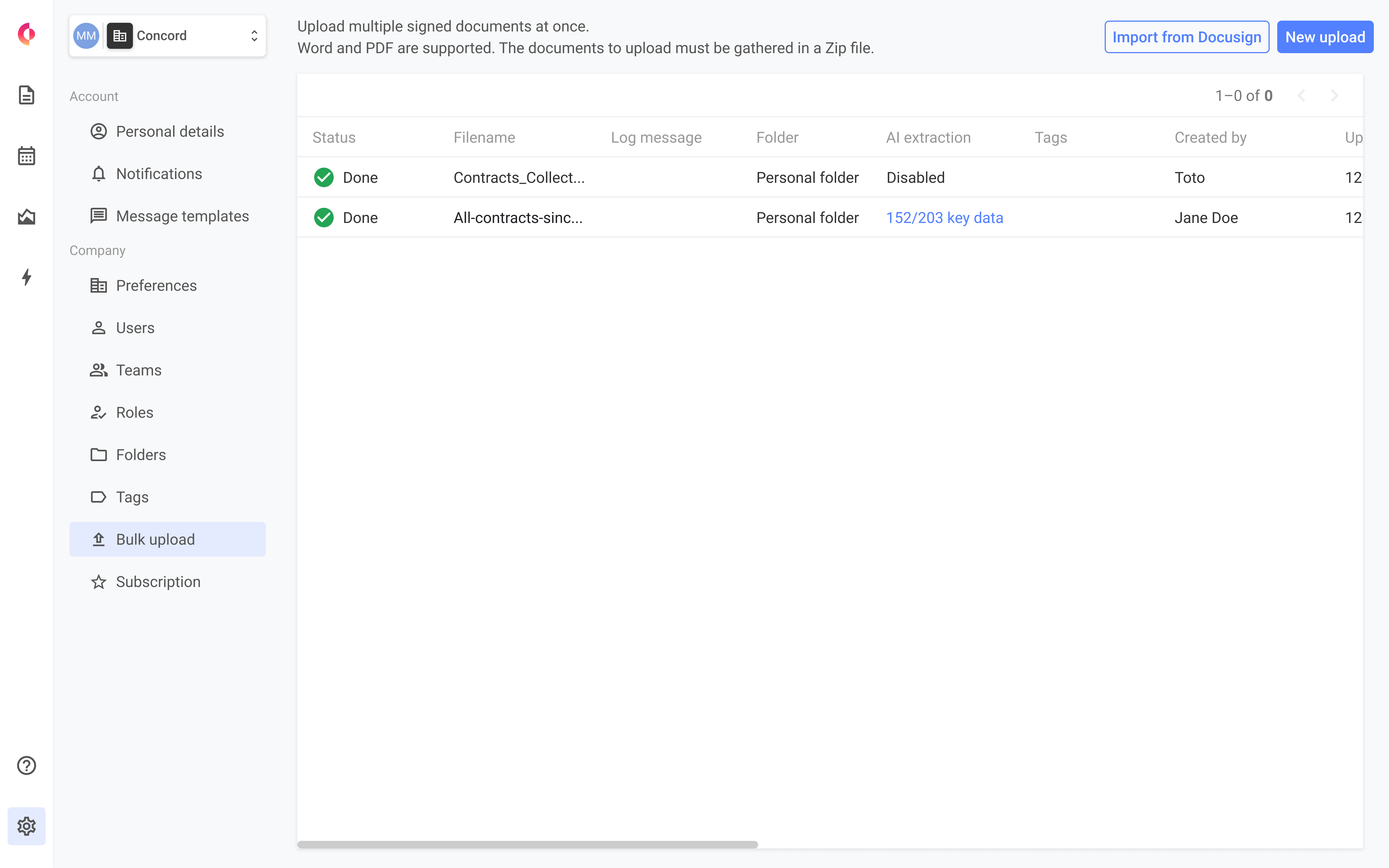
From the Bulk Upload page, click the "Import from DocuSign" button
-
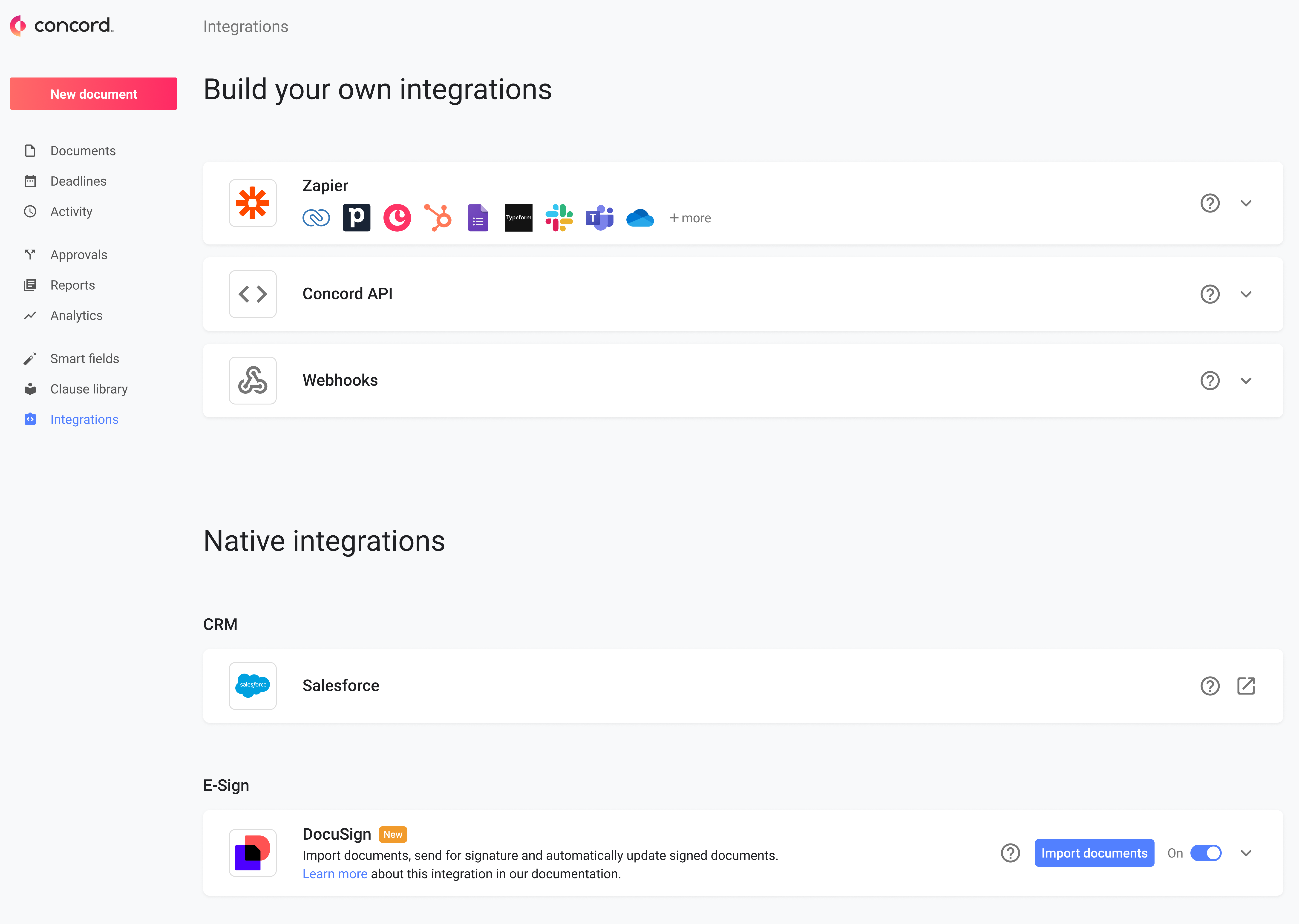
From the Integrations page, find the DocuSign tile and click the "Import document" button
-
Select DocuSign Folders** ** Browse and select one or multiple folders from your DocuSign account that contain the contracts you want to import.
-
Specify Destination in Concord** ** Choose the destination folder(s) in Concord where you want the imported documents to be stored. You can:
Select existing folders
-
Create new folders as needed
-
Initiate the Import Process** ** Click "Import" to begin the process. A progress indicator will show the status of your import.
-
Review Import Results** ** Once the import is complete, you'll receive a summary report showing:
Successfully imported documents
-
Any documents that failed to import (with reasons)
-
Option to retry failed imports
Why This Matters
Bulk importing contracts from DocuSign saves you significant time compared to downloading and uploading each document individually. This feature:
-
Eliminates manual, error-prone processes
-
Ensures all historical contracts are properly migrated
-
Provides a complete view of your contract portfolio in one system
-
Accelerates your transition to Concord as your comprehensive contract management solution
FAQs
Q: Is there a limit to how many documents I can import at once?** ** A: Yes, the bulk import feature has the same document limit as Concord's standard bulk upload feature. If you exceed DocuSign's export limit, you'll receive a clear error message and can split your import into multiple operations.
Q: Will I be notified when a large import is complete?** ** A: Yes, you'll receive an email notification when the import process completes. The email will include a summary of results and a link to access the detailed import report in Concord.
Q: What happens if some documents fail to import?** ** A: If any documents fail to import, you'll receive a detailed report identifying which documents failed and why. You'll have the option to retry the failed imports.
Q: Can I import documents from specific DocuSign folders?** ** A: Yes, you can select specific folders from your DocuSign account for import, allowing for organized migration of your contracts.