Automatic Document Sync from DocuSign to Concord
This article explains how signed documents in DocuSign automatically sync back to Concord, maintaining a complete contract lifecycle in a single system without manual intervention.
This Article Answers
How do I automatically sync signed documents from DocuSign back to Concord?
TL;DR
Signed documents in DocuSign automatically sync back to Concord when you have an active DocuSign integration, keeping your complete contract lifecycle in one system without manual work.
Key Facts
- •Requires an active DocuSign integration with Concord
- •Signed documents automatically sync back to Concord without manual intervention
- •Maintains complete contract lifecycle in a single system
- •Eliminates need for manual document transfer between platforms
Prerequisites
-
You must have an active DocuSign integration with Concord
-
The document must have been exported from Concord to DocuSign
How Automatic Document Sync Works
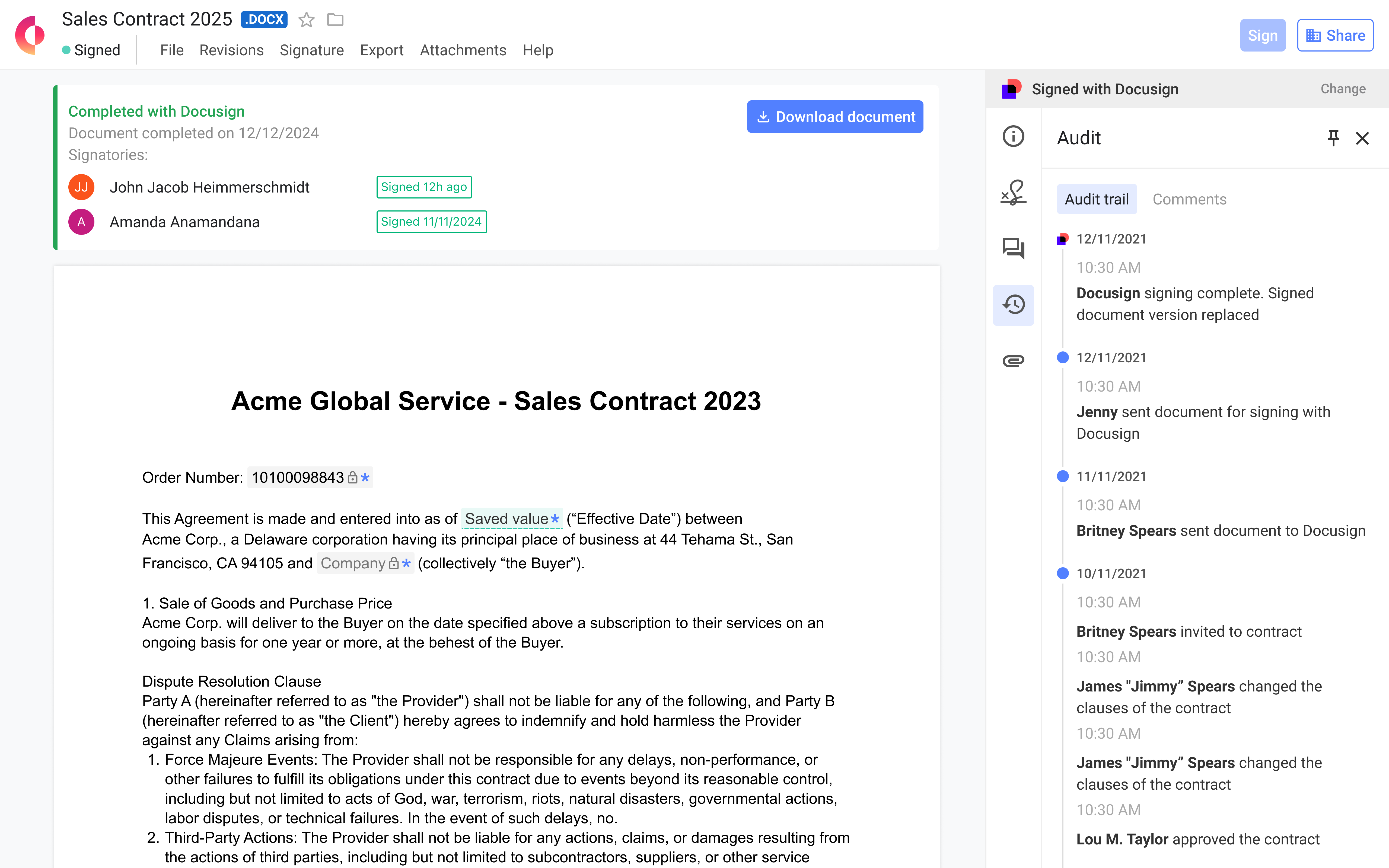
- Document Signature in DocuSign** ** After all required parties have signed the document in DocuSign, the system automatically triggers the sync process.
-
Automatic Return to Concord** ** The signed document automatically syncs back to Concord in PDF format.
-
Status Update in Concord** ** The document status in Concord automatically updates to "Signed" once the sync is complete.
-
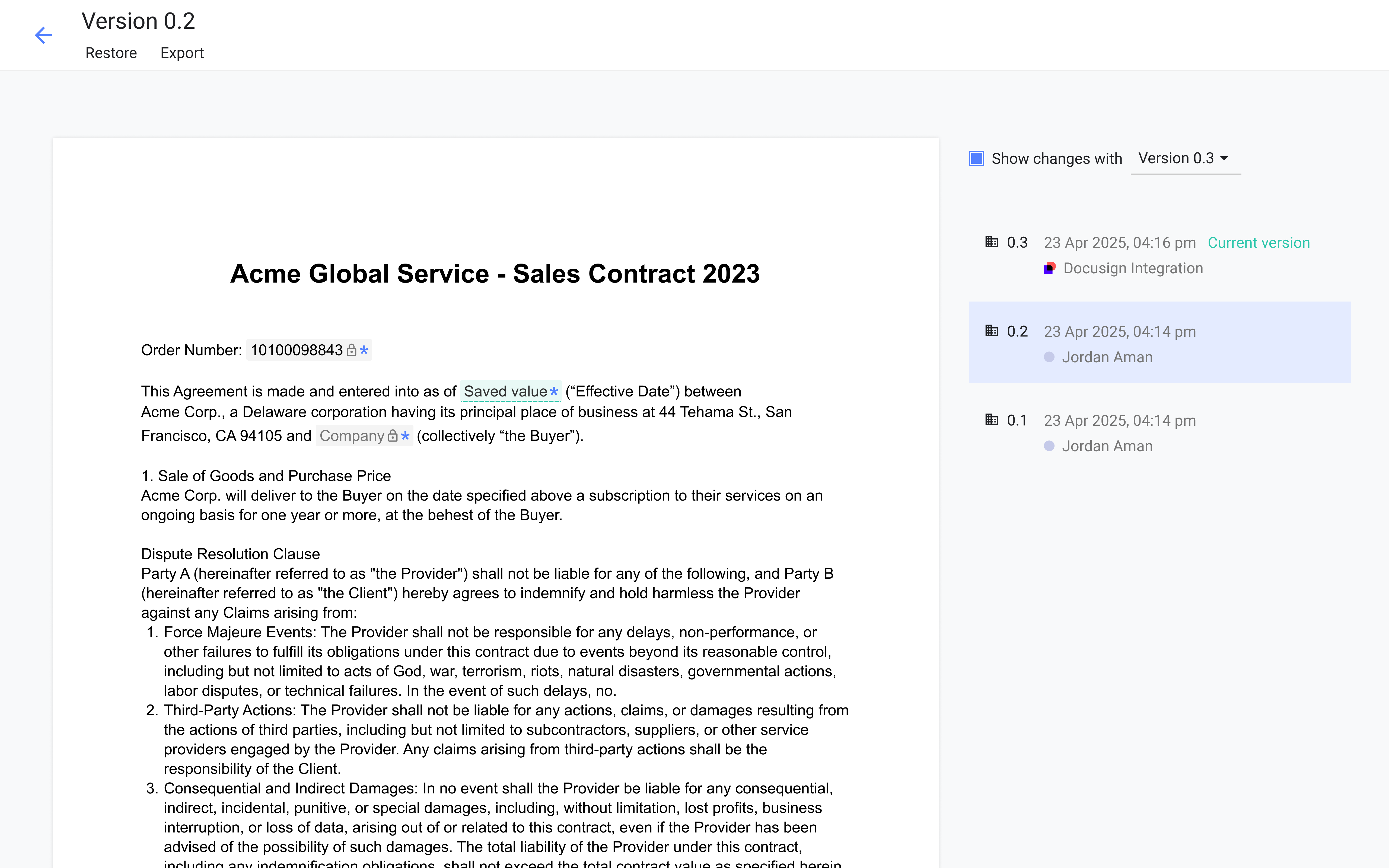
Version History Preservation** ** The returning document updates the original document in Concord while preserving the complete version history.
-
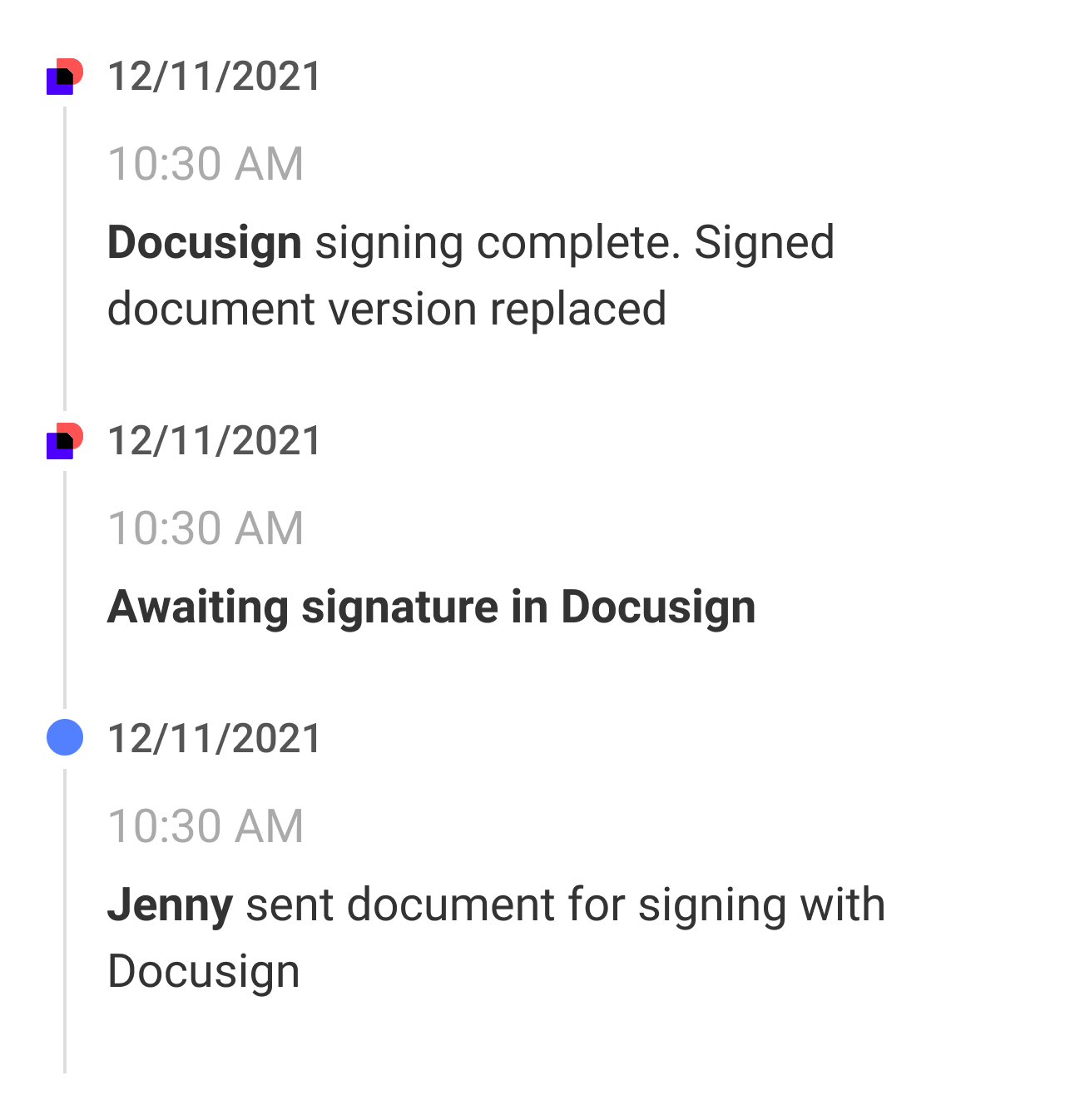
Audit Trail Updates** ** The Concord audit trail is updated with all actions from DocuSign, including:
Document exported to DocuSign
-
Document sent for signature in DocuSign
-
Document fully signed in DocuSign
-
Notification to Stakeholders** ** When the document is fully signed and synced back to Concord, email notifications are sent to all internal users with access to the document.
Why This Matters
Automatic document sync eliminates manual steps and provides several benefits:
-
Prevents version control issues between systems
-
Maintains Concord as the single source of truth for all contracts
-
Eliminates the risk of human error in the document return process
-
Creates a complete and unbroken audit trail of the entire contract lifecycle
-
Ensures all stakeholders are promptly notified when contracts are fully executed
FAQs
Q: Can I view the DocuSign audit trail in Concord?** ** A: Yes, the audit trail in Concord is updated with all DocuSign events, providing a complete history of the document's journey through both systems.
Q: Will I receive notifications when the document is signed in DocuSign?** ** A: Yes, DocuSign signatures trigger the same Concord signature email notifications when the agreement is fully executed.
Q: Are access rights maintained when the document syncs back?** ** A: Yes, all access rights to the document in Concord are maintained after the signed document is synced back from DocuSign.
Q: Can users without DocuSign integration see the audit trail?** ** A: Yes, the audit trail that contains DocuSign events is accessible to all users with access to the document, even without active DocuSign integration, for clarity and legal purposes.